The Orthodox feasts of your parish, village or community in one calendar, and the next feast on your website. Movable feasts are counted from Orthodox Easter, so their dates change every year by themselves.
In WordPress go to Plugins > Add New Plugin > Upload Plugin, choose the ZIP file and click Install Now.
Click Activate. The 18 major Orthodox feasts of Cyprus are added to the calendar the first time, so it is never empty.
Open Feasts in the admin menu.
Check Settings > General > Timezone: choose Nicosia (or your city), so the next feast changes at midnight local time.
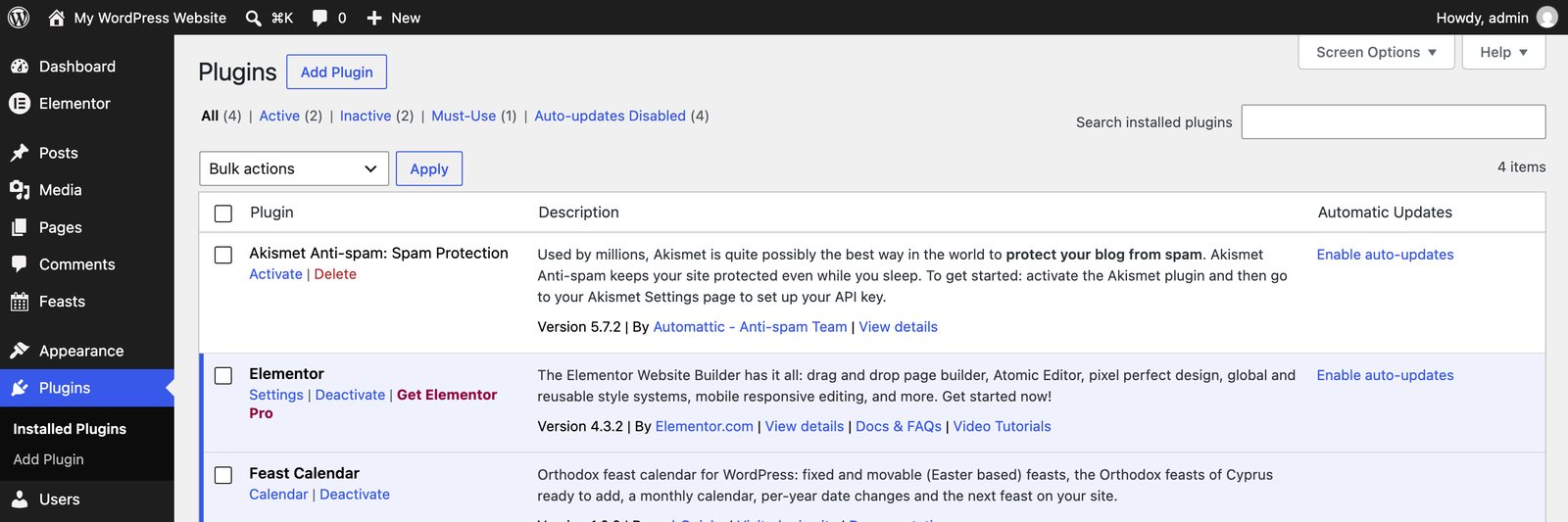
Feast Calendar in the plugins list, with a link to this documentation.
The calendar
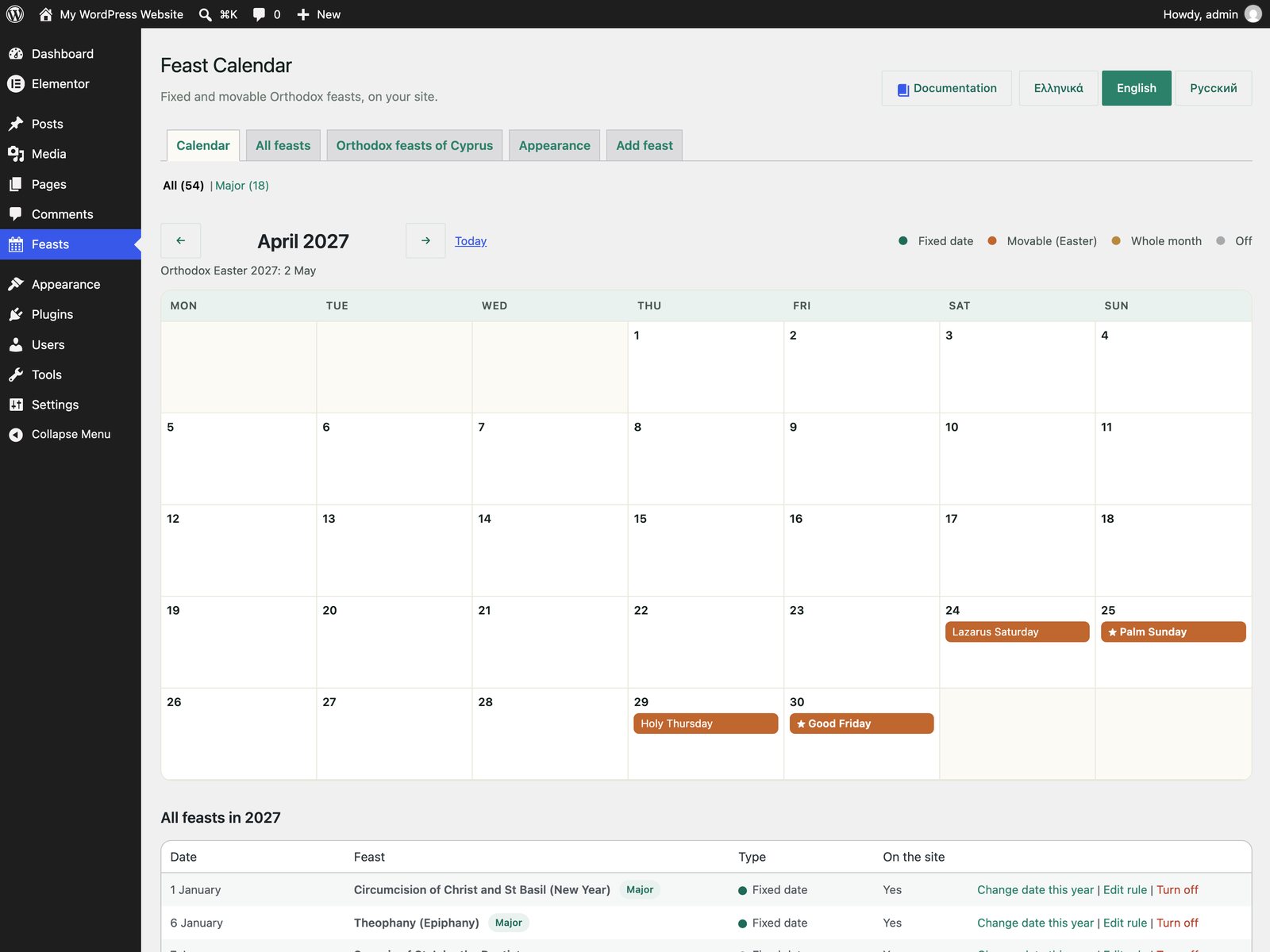
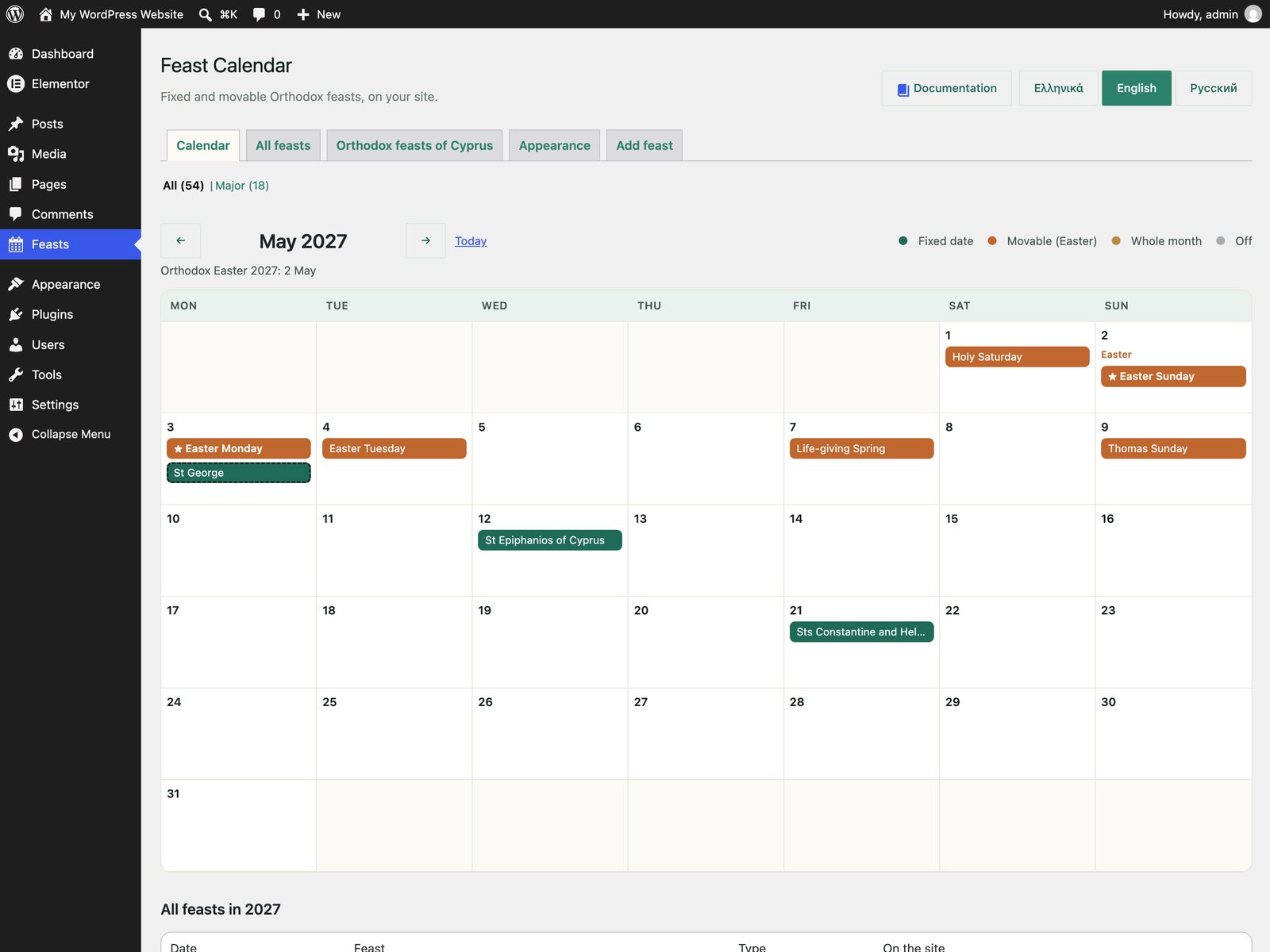
The first screen shows one month. Use the arrows to move between months and Today to come back.
Green: fixed feasts, same date every year.
Orange: movable feasts, counted from Easter.
Gold: feasts that last the whole month.
Grey, crossed out: feasts that are off or skipped this year.
A star marks a major feast. A dashed outline marks a date changed for this year only.
The date of Orthodox Easter for the year is shown above the calendar. Below it, every feast of the year is listed with its date, type and whether it shows on the site.
April 2027: Holy Week, counted from Easter on 2 May.
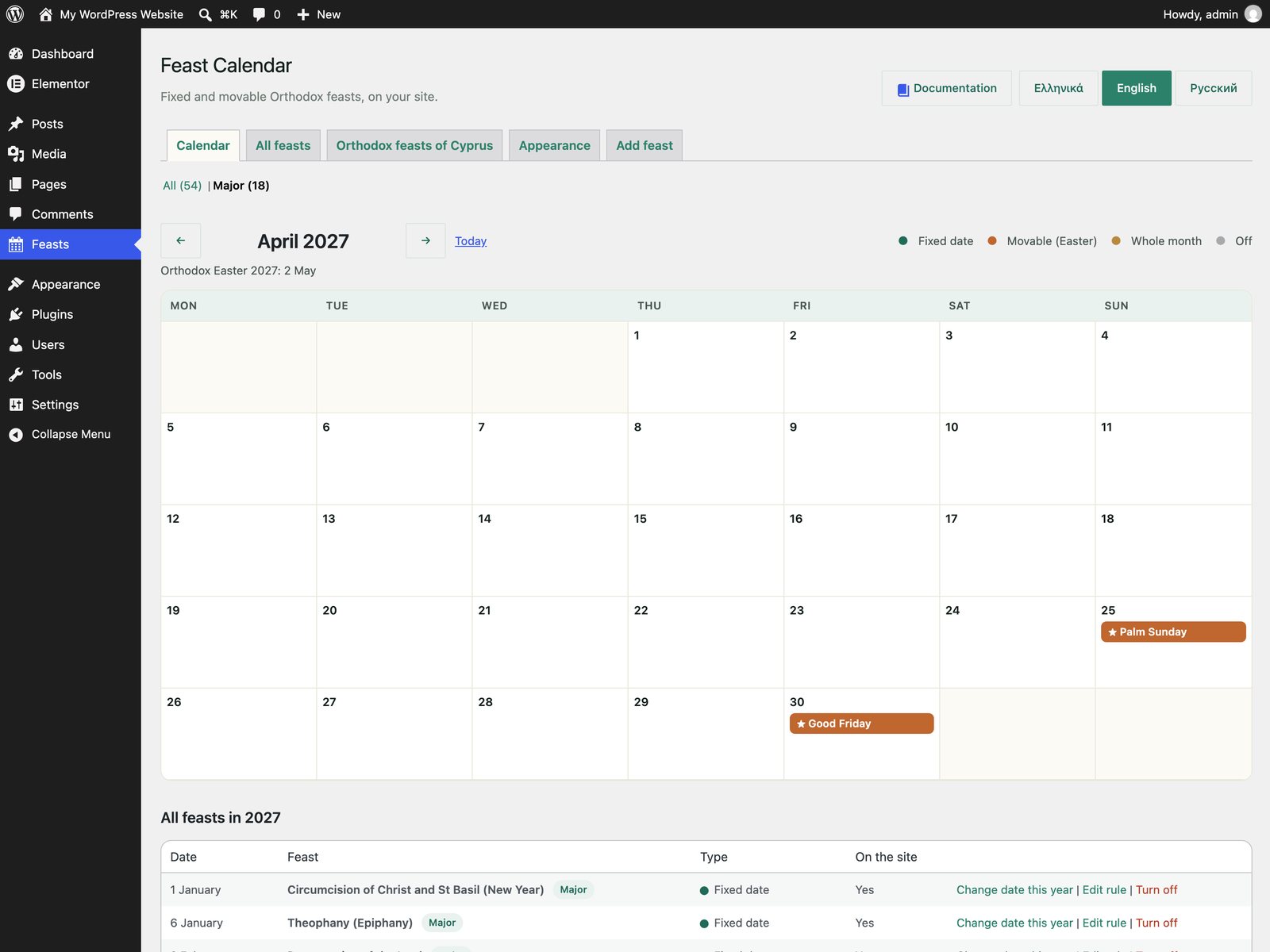
The same month with only the major feasts.
All or only the major feasts
Above the calendar and the list you can switch between All and Major. Major feasts are the great feasts of the Lord and of the Virgin Mary, and the religious public holidays of Cyprus. You decide which feasts are major: tick Major feast when you edit a feast.
All feasts
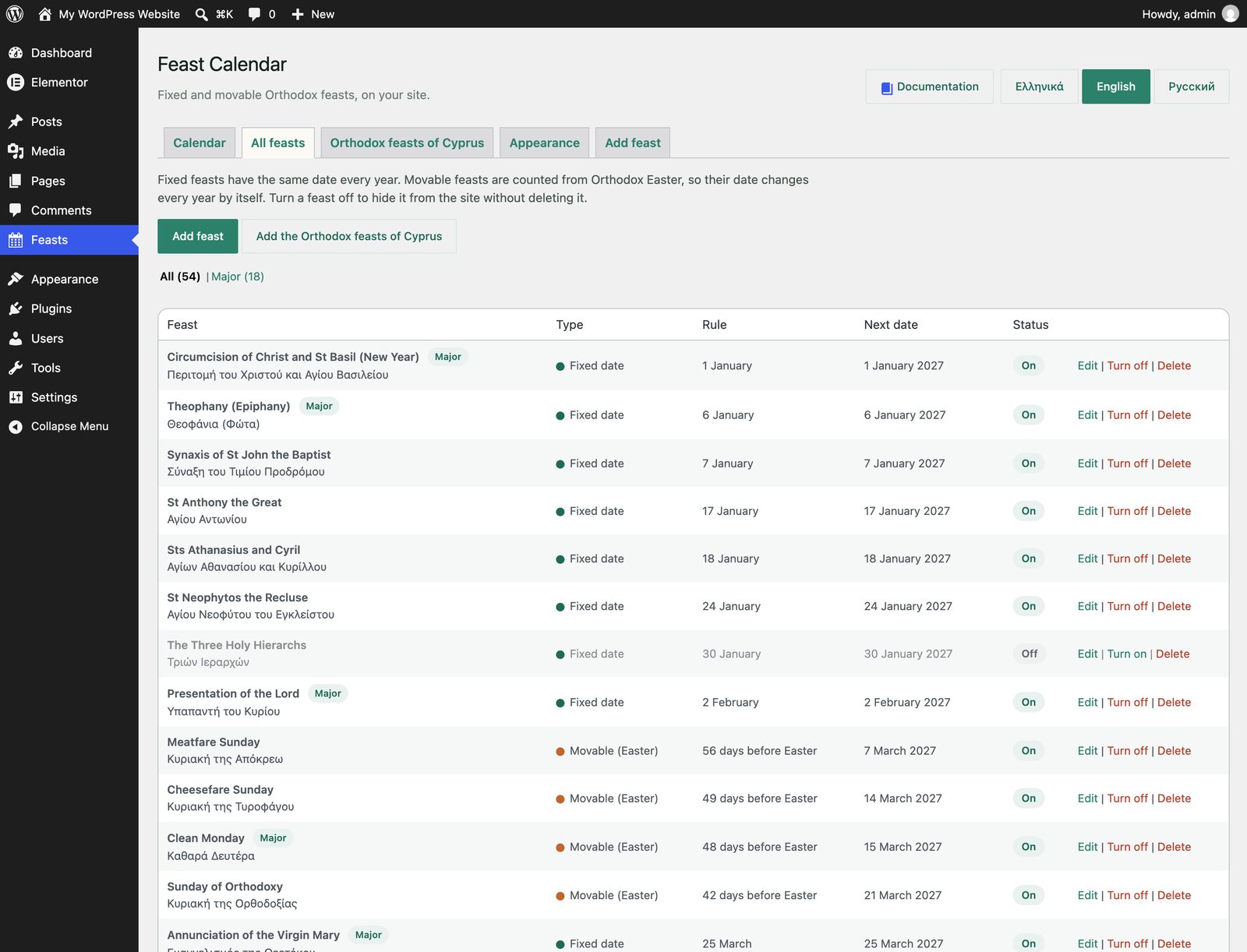
The All feasts tab lists every feast with its type, its rule in plain words and its next date. For each feast you can:
Edit it: name, type, date and whether it is major.
Turn off or Turn on. A feast that is off stays in the list but does not show on the site. Turn it on again any time.
Delete it. This cannot be undone, so turning off is usually the better choice.
The list of all feasts, with the next date of each one.
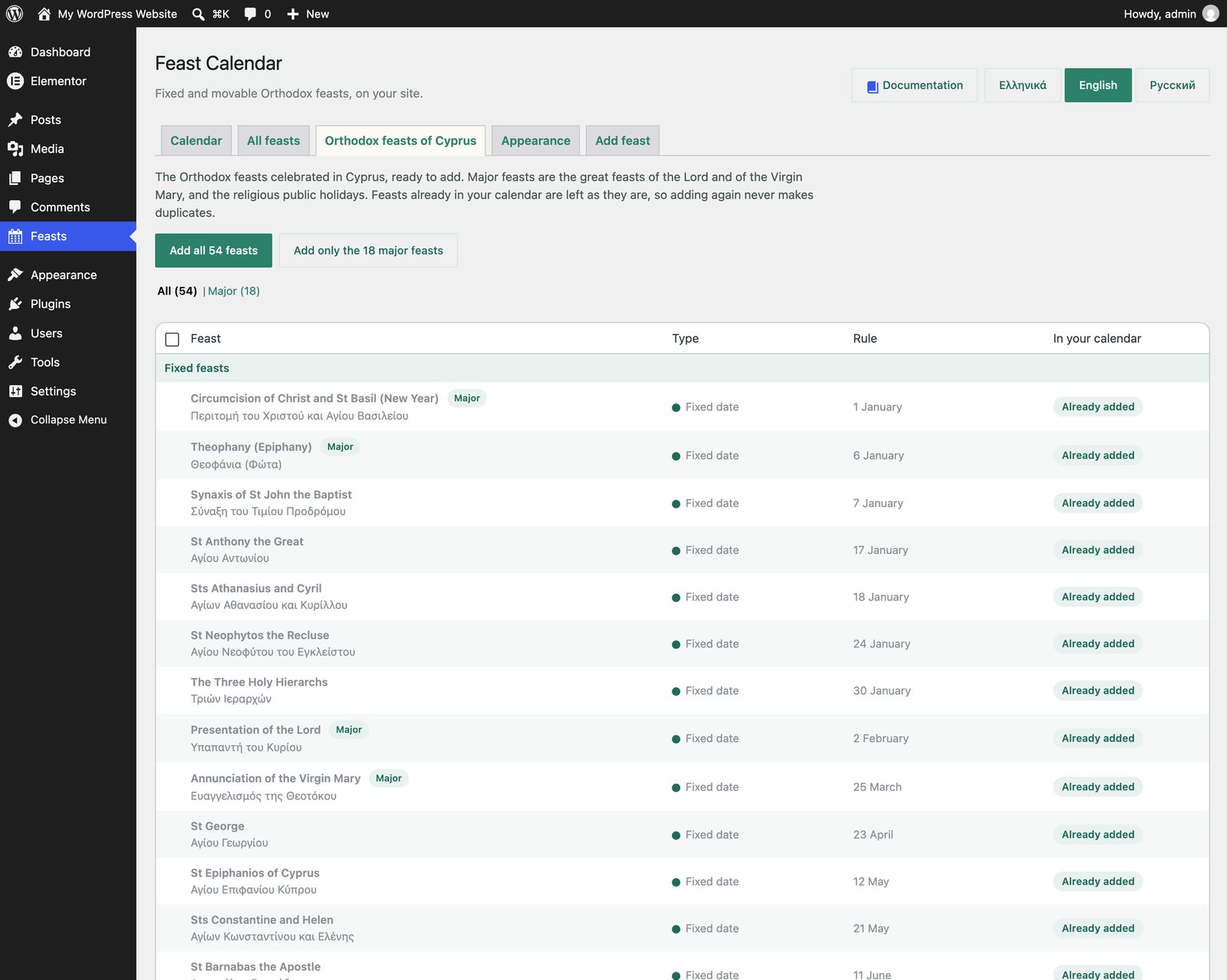
The Orthodox feasts of Cyprus, grouped into fixed and movable.
Cyprus
The Orthodox feasts of Cyprus
The Orthodox feasts of Cyprus tab has 54 feasts ready to add: 36 fixed and 18 movable, from the Theophany to St Spyridon and from Clean Monday to All Saints Sunday.
Add all 54 feasts in one click.
Add only the 18 major feasts.
Or tick the ones you want and click Add the ticked feasts.
Feasts already in your calendar are marked Already added and are never added twice, even if you created them yourself with the same date.
Add or edit a feast
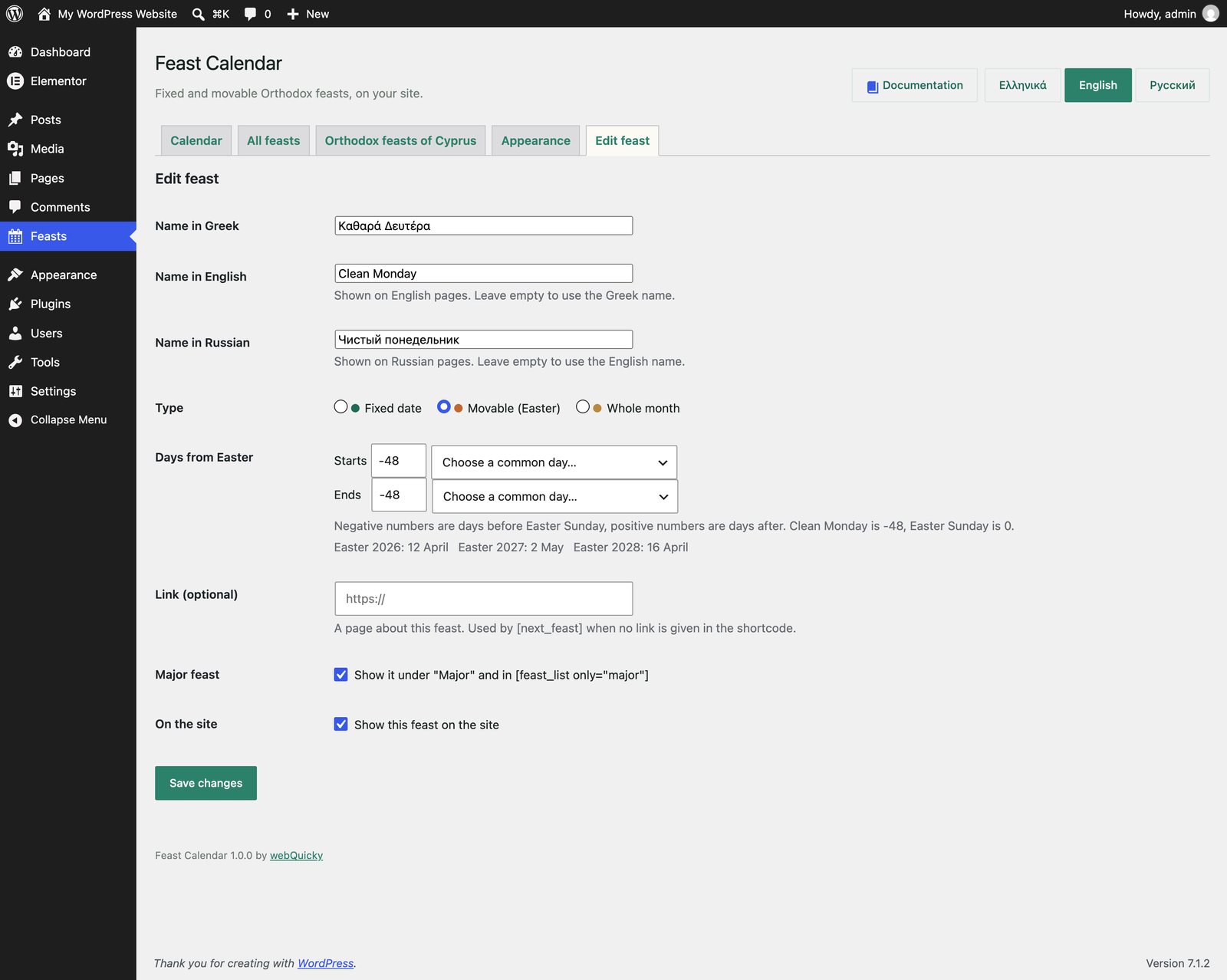
Give the feast a name in Greek and, for multilingual sites, in English and Russian. Then choose its type:
Type
How the date is set
Fixed date
Day and month, for one or more days. Example: the feast at Agiasmati, 13 September for 2 days.
Movable (Easter)
Days before (-) or after (+) Easter Sunday. Pick a common day from the list or type the number.
Whole month
The whole month. Example: a summer festival in August.
Major feast puts it under Major. Show this feast on the site turns it on or off. Link is an optional page about the feast.
Clean Monday: a movable feast 48 days before Easter.
Common days from Easter
Day
Days from Easter
Meatfare Sunday
-56
Cheesefare Sunday
-49
Clean Monday
-48
Lazarus Saturday
-8
Palm Sunday
-7
Good Friday
-2
Easter Sunday
0
Easter Monday
+1
Life-giving Spring
+5
Ascension
+39
Pentecost
+49
Kataklysmos
+50
Change the date for one year
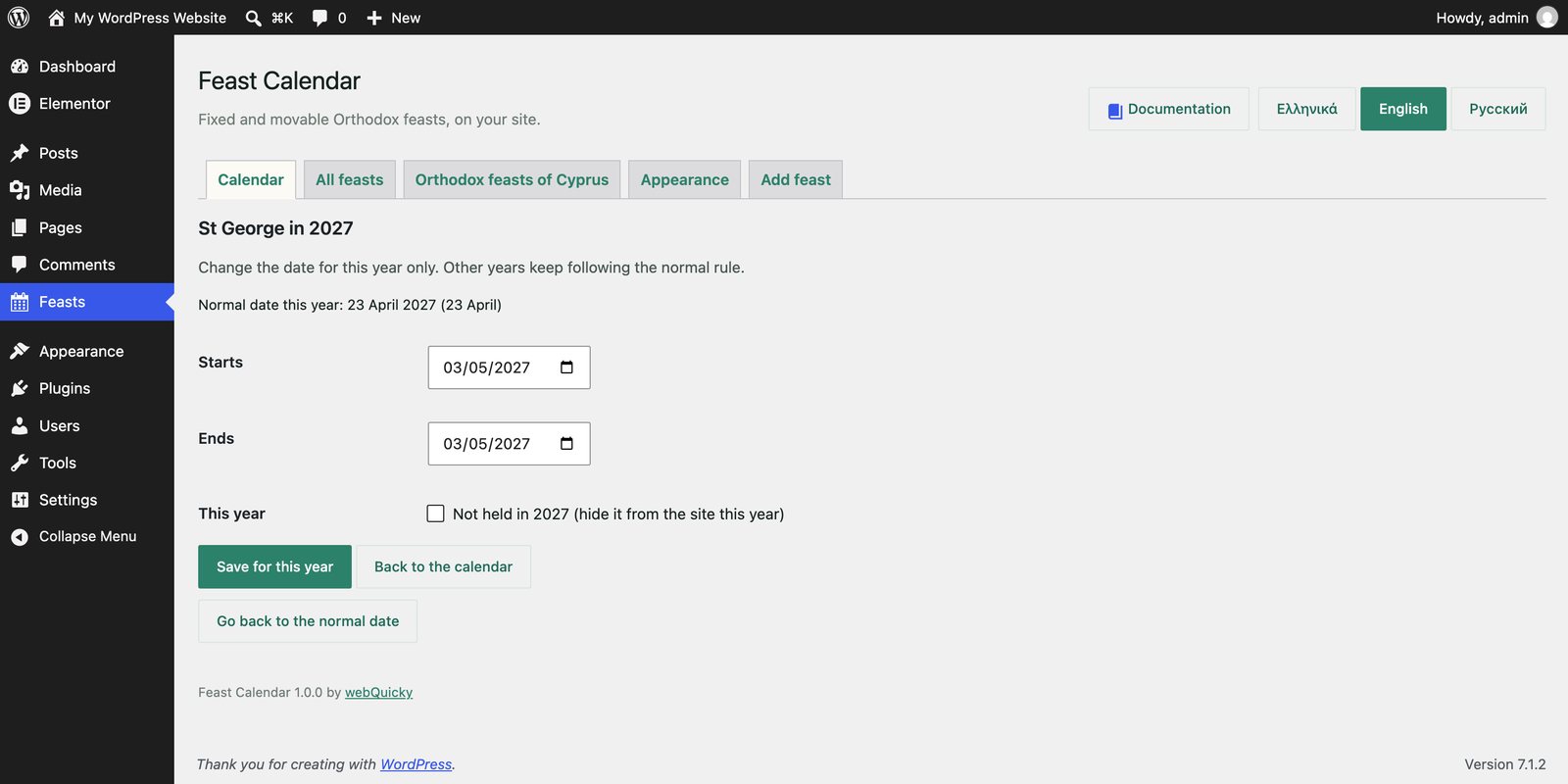
Sometimes a feast moves for one year only, or is not held. Click the feast in the calendar, or Change date this year in the list below it.
Set a new start and end date for that year.
Or tick Not held to hide it from the site for that year.
Go back to the normal date removes the change.
Other years keep following the normal rule. Example: in 2027 St George (23 April) falls before Easter, so it is celebrated on Easter Monday, 3 May.
St George moved to Easter Monday in 2027.
In the calendar a changed date has a dashed outline.
On your site
Add a shortcode in a Shortcode widget (Elementor) or block (WordPress editor). The texts appear in Greek, English or Russian, in the language of the page.
Shortcode
Shows
[next_feast]
The next feast, or the one happening now (“Happening now”).
[next_feast link="/feasts/"]
The same, with an “All feasts” link.
[next_feast only="major"]
Only the next major feast.
[feast_list count="5"]
The next 5 feasts as a list.
[feast_list only="major"]
Only the coming major feasts.
Options for both: lang="el", lang="en" or lang="ru" to force a language, class="" to add your own CSS class. The plugin brings a simple look that follows your theme fonts and colours.
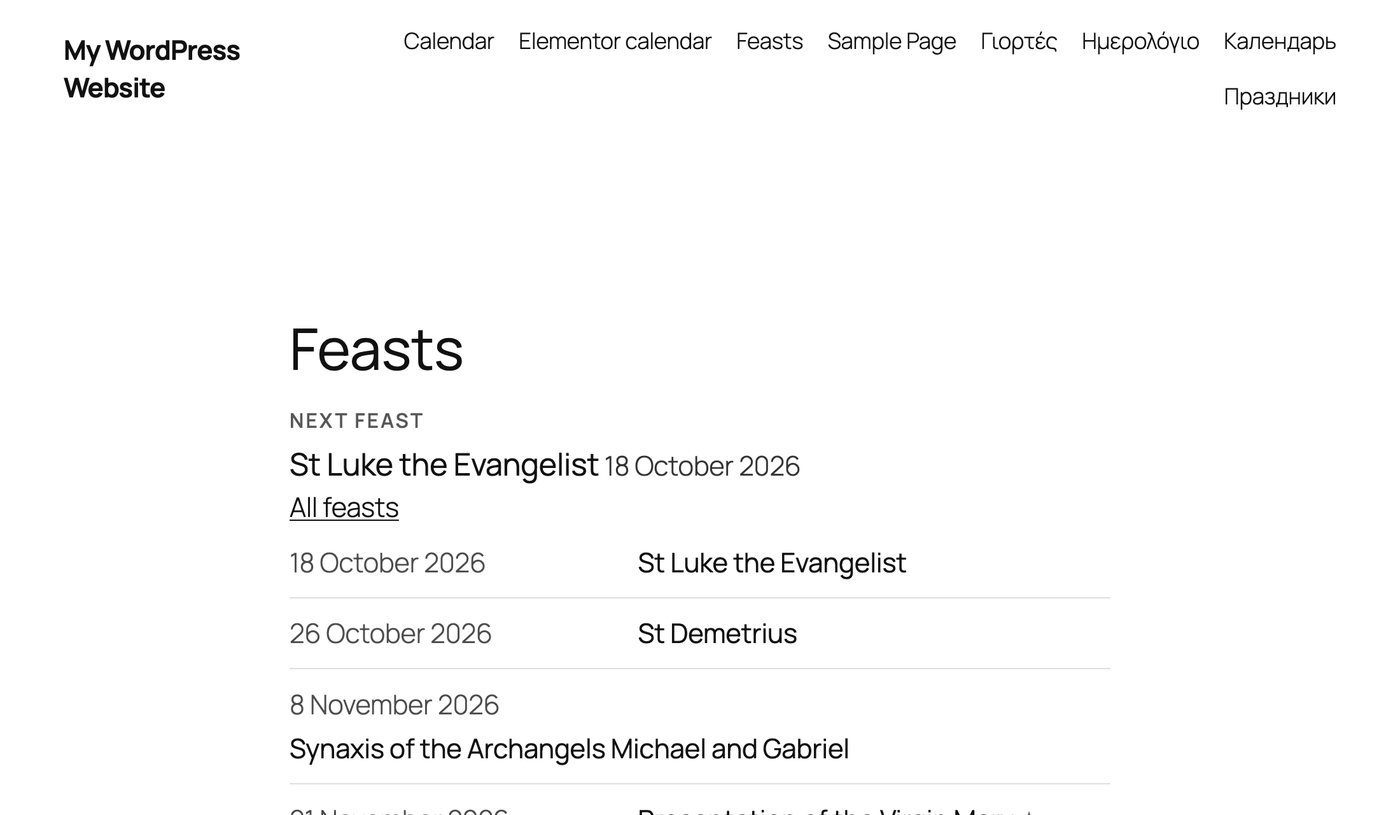
The next feast and the coming feasts on a page.
Greek, English and Russian
The admin screens are in Greek, English or Russian: use the Ελληνικά / English / Русский buttons at the top. Each user keeps their own choice. On the site, the language comes from Polylang or WPML when they are active, otherwise from the site language.
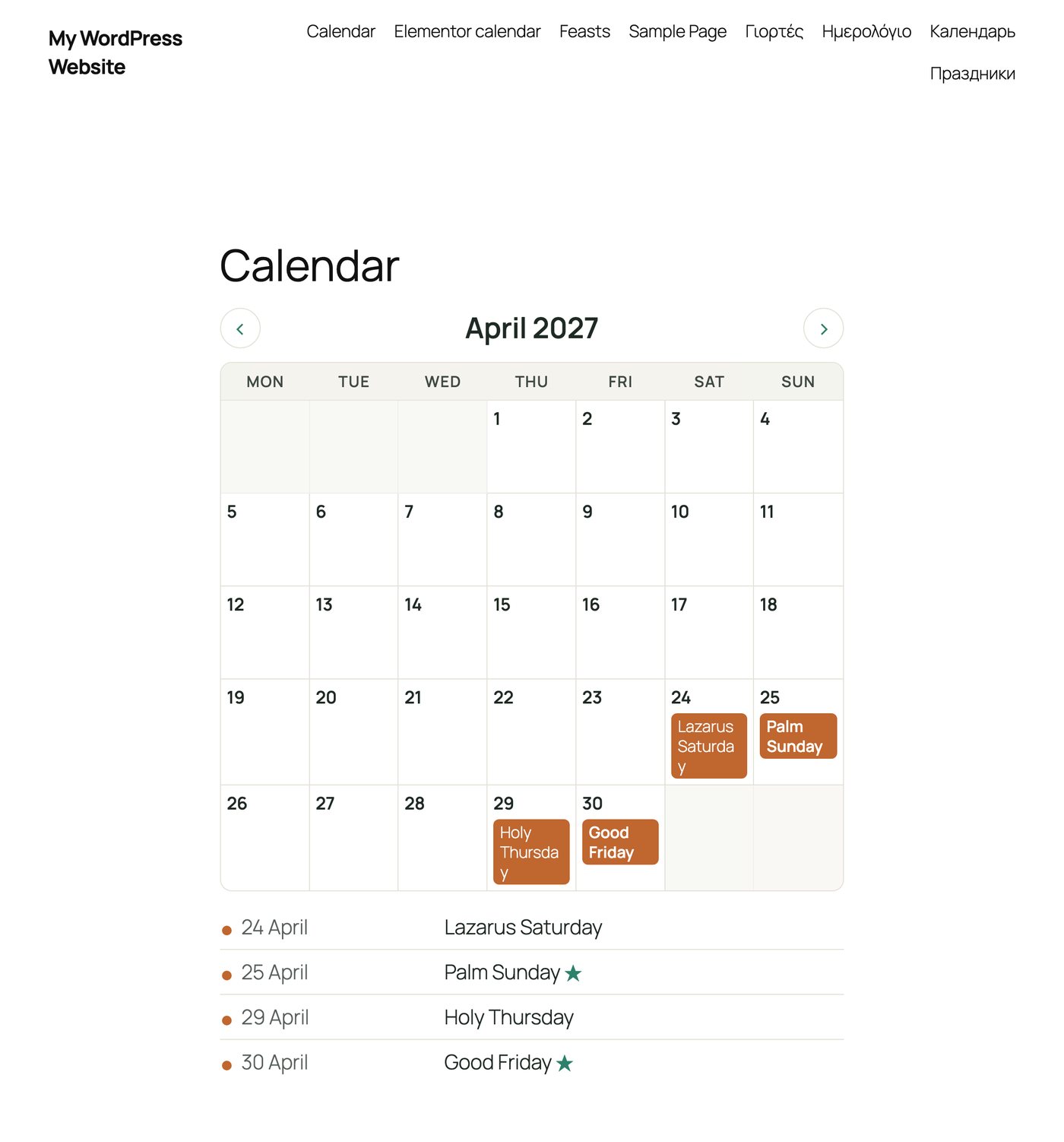
The month calendar on a page, with the month's feasts below it.
Month calendar on your site
Show the whole month with [feast_calendar], or on Elementor sites with the Feast Calendar widget. Visitors move between months with the arrows, without the page reloading. Under the calendar the month’s feasts are listed with their dates. On phones the feasts become coloured dots and the list carries the names.
Option
What it does
month="2026-12"
Always show this month (empty: the current month).
only="major"
Only the major feasts.
nav="no"
No previous / next buttons.
list="no"
No list under the calendar.
easter="no"
Do not mark Easter Sunday.
color_fixed="#7a1f2b"
Another colour for this calendar only. Also color_easter, color_month, color_accent, color_text, color_bg, color_head, color_border, font, radius.
Appearance: colours and font
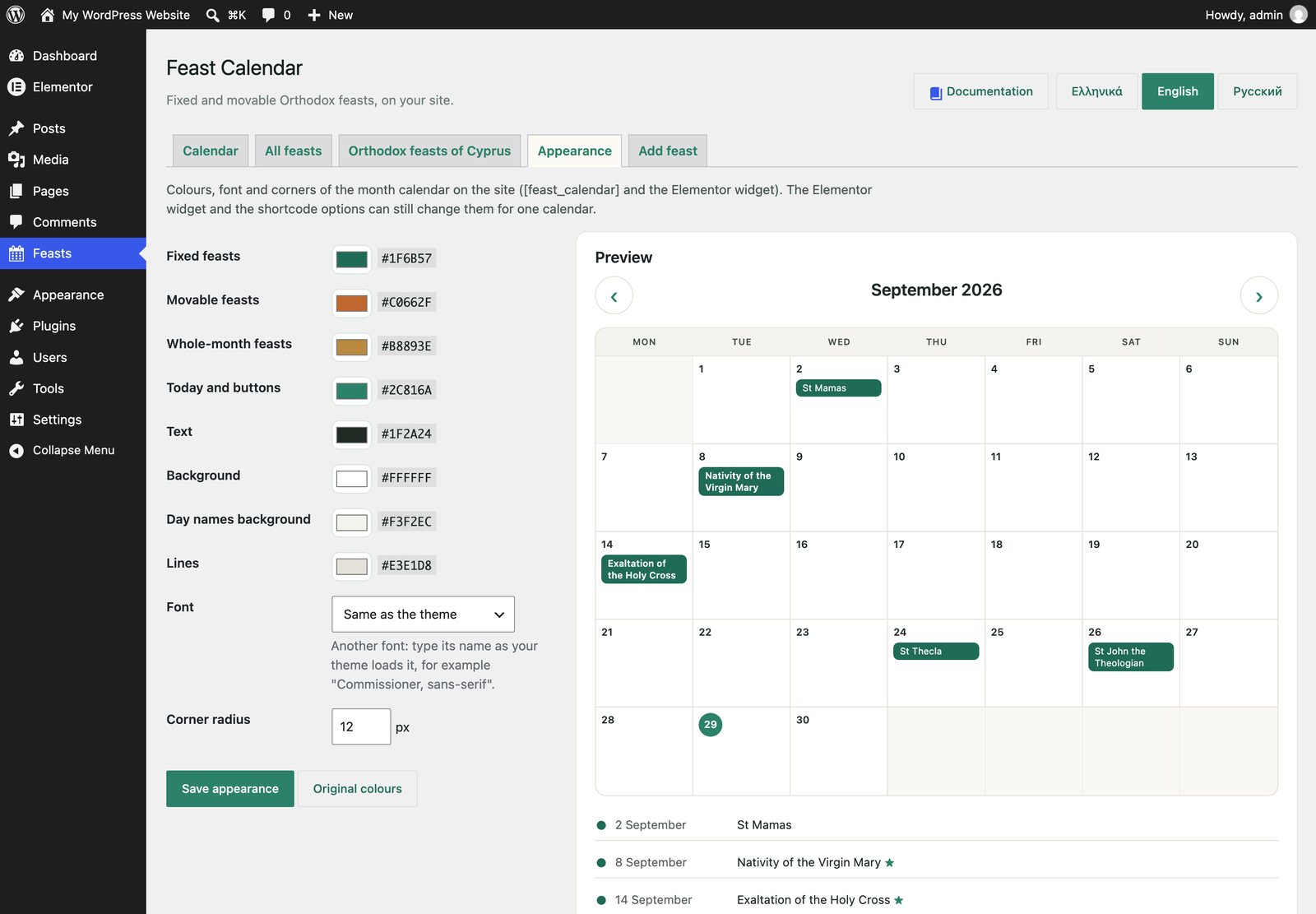
In Feasts > Appearance you choose the colours of fixed, movable and whole-month feasts, today and the buttons, text, background and lines, the font and how round the corners are. The preview changes as you choose. Original colours brings the defaults back.
These settings apply to every calendar on the site. In the Elementor widget you can change colours and typography (font, size, weight) for one calendar, from its Style tab.
Yes. A fixed feast can last up to 60 days, and a movable one from any day to any day around Easter, for example from Lazarus Saturday to Easter Sunday.